








• Latest
  • Trending
  • All
  • Egypt
  • Business
  • Local
  • World
How to make sure you don’t lose your contacts when changing smartphones

How to make sure you don’t lose your contacts when changing smartphones

January 14, 2022
Wall Street buckles up for SpaceX liftoff, hoping for a glitch-free ride

Wall Street buckles up for SpaceX liftoff, hoping for a glitch-free ride

June 11, 2026
Egypt, WB seek to boost agricultural investment, exports

Egypt, WB seek to boost agricultural investment, exports

June 11, 2026
Ebola outbreak in Central Africa could reach 20,000 cases without strong public health measures

Ebola outbreak in Central Africa could reach 20,000 cases without strong public health measures

June 11, 2026
Egypt condemns Somaliland’s move to open embassy in Jerusalem

Cairo condemns Iran’s attacks on Jordan, Bahrain, Kuwait

June 11, 2026
Egypt, Pakistan FMs discuss regional developments

Egypt, Pakistan FMs discuss regional developments

June 11, 2026
Reactor reboot at world’s largest nuclear plant highlights flaws in Japan’s radioactive waste plans

Reactor reboot at world’s largest nuclear plant highlights flaws in Japan’s radioactive waste plans

June 11, 2026
Egypt’s FM, BADEA chief probe stronger co-operation for Africa development

Egypt’s FM, BADEA chief probe stronger co-operation for Africa development

June 11, 2026
Amnesty accuses Israel of ‘ethnic cleansing’ of Palestinians

Amnesty accuses Israel of ‘ethnic cleansing’ of Palestinians

June 11, 2026
Egyptian universities in Times Higher Education 2026 rankings

Egyptian universities in Times Higher Education 2026 rankings

June 11, 2026
UNHCR: Fewer people displaced worldwide in 2025 but long-term refugee crisis persists

UNHCR: Fewer people displaced worldwide in 2025 but long-term refugee crisis persists

June 11, 2026
  • Advertise
  • Privacy & Policy
  • Contact
Thursday, June 11, 2026
  • Login

Editor-in-Chief

Mohamed Fahmy

Board Chairman

Tarek Lotfy

Egyptian Gazette
No Result
View All Result
  • HOME
  • EGYPT
    • Local
    • Features
  • World
    • National Day
  • Technology
  • BUSINESS
    • Real Estate
    • Automotive
  • SPORTS
  • ENTERTAINMENT
    • Arts
    • Health
    • Lifestyle
    • Travel
  • Skyward
    • Snippets from EgyptAir history
  • MORE
    • Multimedia
      • Video
      • Podcast
      • Gallery
    • OP-ED
  • HOME
  • EGYPT
    • Local
    • Features
  • World
    • National Day
  • Technology
  • BUSINESS
    • Real Estate
    • Automotive
  • SPORTS
  • ENTERTAINMENT
    • Arts
    • Health
    • Lifestyle
    • Travel
  • Skyward
    • Snippets from EgyptAir history
  • MORE
    • Multimedia
      • Video
      • Podcast
      • Gallery
    • OP-ED
No Result
View All Result
Egyptian Gazette
No Result
View All Result
Home Technology

How to make sure you don’t lose your contacts when changing smartphones

by News Wires
January 14, 2022
in Technology
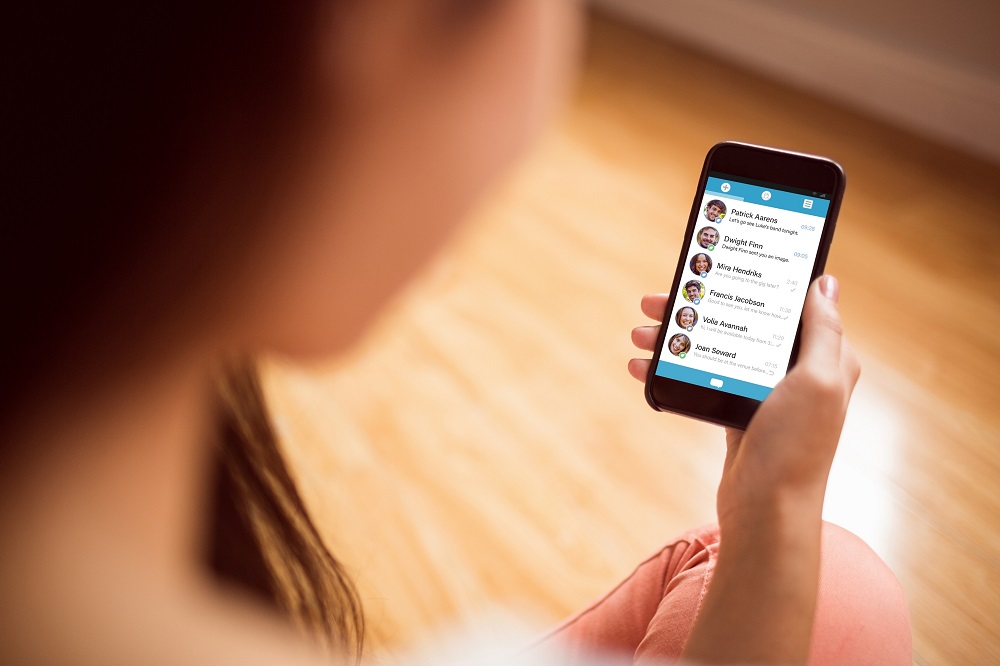
It is relatively easy to recover your contact list if it is saved online.

It is relatively easy to recover your contact list if it is saved online.

Share on FacebookWhatsapp

SAN FRANCISCO – If you’re worried about losing every single contact when it’s time to change smartphone, don’t panic!


There’s a very simple solution that can make sure you recover all your contacts in a new handset. Simply save them online, either with Google if you use an Android phone, or Apple if it’s an iPhone.

If you have an Android smartphone, go to the Contacts app then to Settings. Then select Import/Export and choose Export to SIM card. Then, you’ll only have to perform the same operation on your new mobile to retrieve them all, taking care to select Import from the SIM card.

Even simpler, some manufacturers, starting with Samsung or Huawei, offer applications dedicated to the recovery of data, including contacts, at each change of phone.

Note that if you change operator, you’ll need to export or save your contacts to the device, this time, before reimporting them to your new SIM card.

But the best bet is to save all your contacts to the cloud, to your Google account. For that, with each new entry, be sure to select the option to save the contact to your Google account. Then, you’ll automatically have access to them from any smartphone on which you are logged in.

To transfer data from one iPhone to another, the best option is to save everything online, to iCloud. To do this, select Contacts in the list of options in Settings/Apple ID/iCloud. This way, you can always retrieve them automatically on your new smartphone (or iPad or Mac).

This can apply to any data from your iPhone, not just the contacts. You can also manage (add, modify or delete) your contacts directly from the iCloud web platform. These changes will instantly update your contacts on your iPhone.

Tags: AndroidAppleGooglesmartphonestechnology

Discussion about this post

ADVERTISEMENT
egyptian-gazette-logo

The Egyptian Gazette is the oldest English-language daily newspaper in the Middle East.
It was first published on January 26, 1880 and it is part of El Tahrir Printing and Publishing House.

Follow Us

Gazette Notifications

Would you like to receive notifications on our latest news ?

  • Advertise
  • Privacy & Policy
  • Contact

Copyrights for © Egyptian Gazette - Administered by Digital Transformation Management.

Welcome Back!

Login to your account below

Forgotten Password?

Retrieve your password

Please enter your username or email address to reset your password.

Log In
No Result
View All Result
  • HOME
  • EGYPT
    • Local
    • Features
  • World
    • National Day
  • Technology
  • BUSINESS
    • Real Estate
    • Automotive
  • SPORTS
  • ENTERTAINMENT
    • Arts
    • Health
    • Lifestyle
    • Travel
  • Skyward
    • Snippets from EgyptAir history
  • MORE
    • Multimedia
      • Video
      • Podcast
      • Gallery
    • OP-ED

Copyrights for © Egyptian Gazette - Administered by Digital Transformation Management.

This website uses cookies. By continuing to use this website you are giving consent to cookies being used. Visit our Privacy and Cookie Policy.