











There’s a There’s a specific kind of image that dominates modern marketing and social feeds — someone laughing over coffee, a family cooking together, a person genuinely enjoying a product mid-use. These lifestyle shots feel effortless, but they’re actually some of the hardest images to fake convincingly, since human eyes are quick to spot anything that feels staged or artificial. This is exactly the challenge a good AI image generator has to clear to produce lifestyle photography people actually believe.
Dreamina, running on its most advanced image generation model, Seedream 5.0 Pro, has gotten remarkably good at this specific kind of realism. It’s not just about generating a person in a scene — it’s about capturing the small, natural imperfections that make a moment feel real instead of posed. Let’s break down how to get there.
Why lifestyle images are the hardest to fake
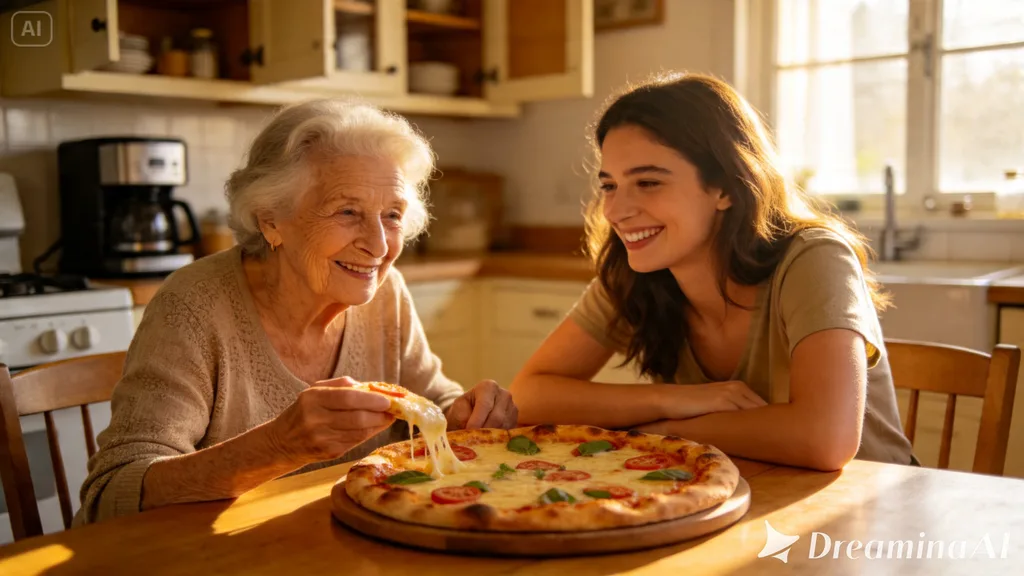
Product shots and portraits have relatively forgiving rules — clean lighting, sharp focus, a flattering angle. Lifestyle images work against that instinct entirely. They need to look slightly imperfect, caught mid-moment, with natural body language rather than a posed stance. The moment an image feels too polished or too symmetrical, it stops reading as “real life” and starts reading as an ad, which defeats the entire purpose of a lifestyle shot.
The anatomy of a believable candid moment
A handful of specific details separate a convincing candid shot from an obviously staged one:
- Genuine, asymmetrical facial expressions rather than a perfect smile
- Natural, sometimes slightly awkward body positioning
- Environmental details that feel lived-in rather than staged
- Soft, realistic lighting that matches the setting, not studio-perfect lighting
Prompting for these specific qualities, rather than just “a person smiling,” makes a measurable difference in how believable the final image feels.
Choosing settings that feel authentically lived-in
The environment around your subject carries a lot of the realism. A kitchen with a few dishes on the counter reads as more authentic than a spotless, staged one. A living room with a blanket tossed over the couch feels more real than a perfectly arranged showroom. Small, deliberate imperfections in the setting itself go a long way toward selling the overall scene.
Why Seedream 5.0 Pro handles lifestyle realism well
A lot of what makes lifestyle imagery convincing comes down to nuance, and that’s an area where Seedream 5.0 Pro genuinely holds up. Its deep reasoning generation analyzes prompt intent and visual relationships before producing an image, which helps it interpret subtle cues like “genuine laughter” or “relaxed posture” more accurately than a purely literal reading would.
The 2K output quality preserves fine skin texture, natural lighting gradients, and soft shadow detail, all of which matter enormously for a genre built on believability. Pinpoint precision editing, including point selection, lasso, sketch guidance, and regional controls, lets you fix any detail that tips an image back into “obviously AI” territory.
And the built-in online research helps keep trending lifestyle aesthetics and settings feeling current rather than dated.
Your 3-step candid capture with Dreamina
Once you understand what makes a scene feel real, here’s exactly how to generate it.
Step 1: Enter a detailed text prompt and/or add reference image
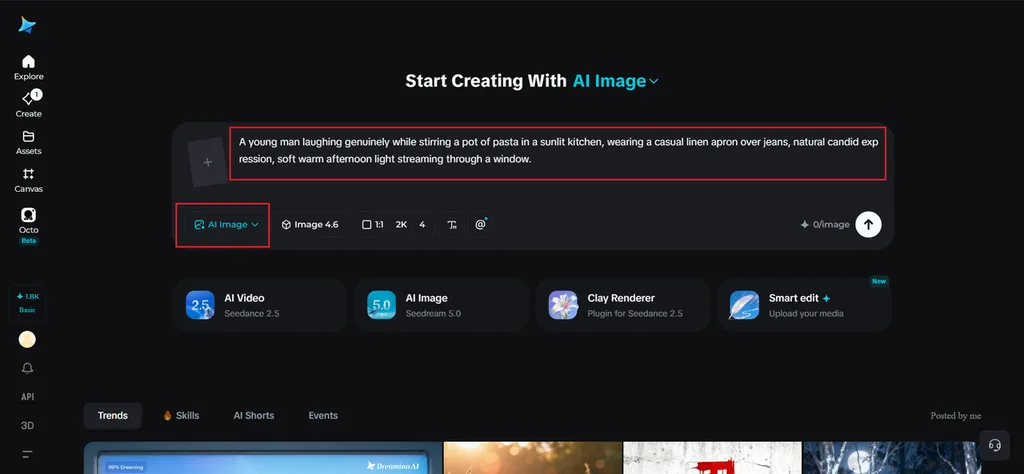
Navigate to Dreamina and write a detailed text prompt describing a person dressed appropriately for the everyday scenario you’re imagining, focusing on natural expression and casual body language. If you have a reference image showing a similar candid mood or setting, upload it to help guide the realism further.
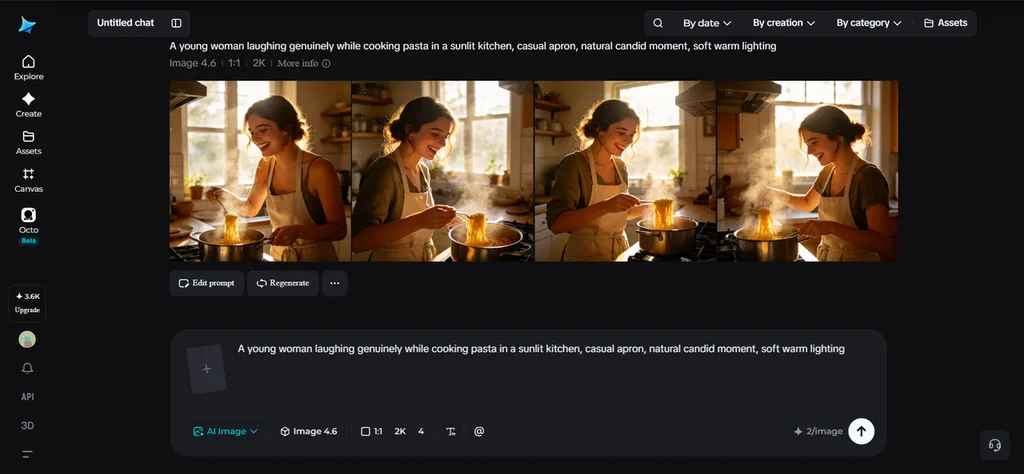
A detailed sample prompt might read: A young man laughing genuinely while stirring a pot of pasta in a sunlit kitchen, wearing a casual linen apron over jeans, natural candid expression, soft warm afternoon light streaming through a window.
Focusing on genuine emotion and lived-in detail, rather than a posed description, is what pushes the result toward realism.
Step 2: Adjust parameters and generate
Before generating, set your parameters to match the realism you’re after. Choose Image 5.0 Pro, powered by Seedream 5.0 Pro, as your model, then select your aspect ratio, image size, and resolution, going with 1K for quick concept testing or 2K when you need fine skin texture and lighting detail to hold up under close inspection. Click Dreamina’s generate icon to produce your lifestyle image.
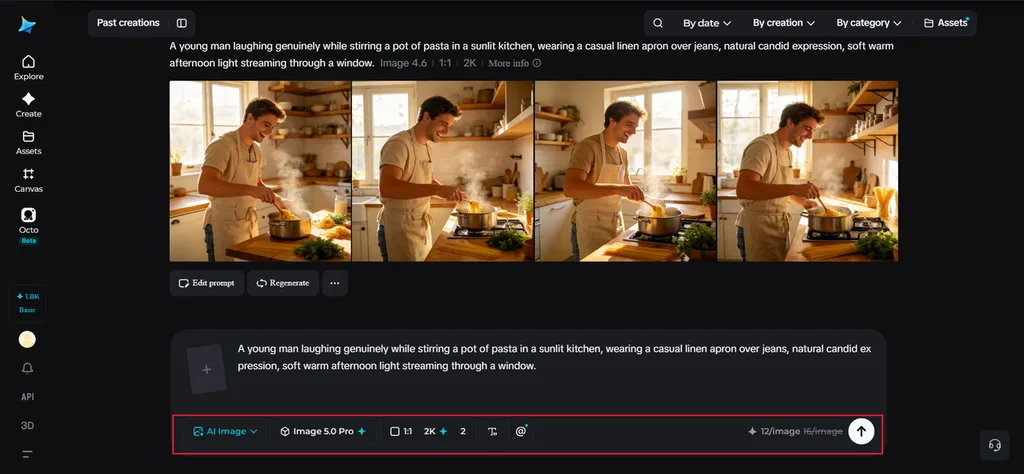
Step 3: Customize and download
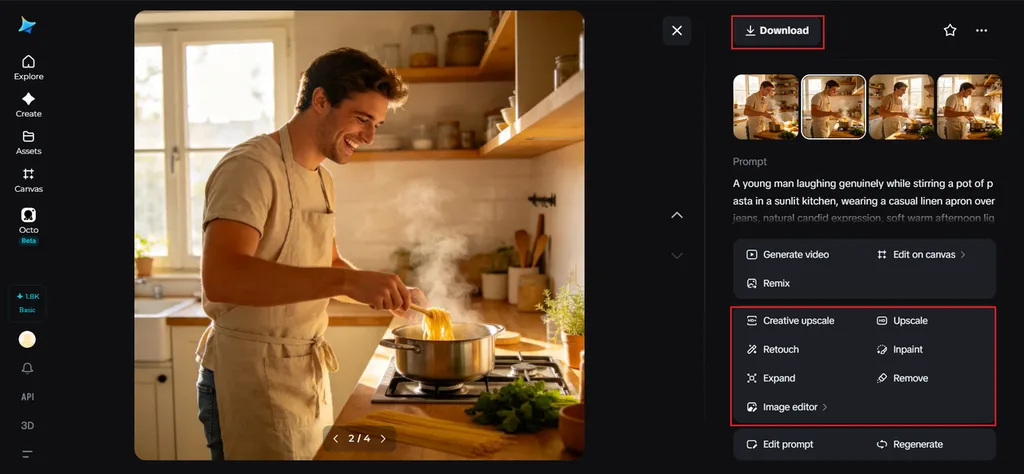
Once generated, use Dreamina’s AI customization tools to fine-tune the realism — inpaint to soften any details that feel too perfect or artificial, expand to reveal more natural environmental context, remove to clear out anything that breaks the illusion, and retouch to balance lighting and texture. When the moment feels genuinely candid, click the Download icon to save your finished image.
Lighting choices that avoid the “studio” look
Lifestyle images almost always benefit from lighting that feels found rather than set up. Natural window light, dappled outdoor sunlight, or the warm glow of a lamp in the evening all read as authentic in ways that even, shadowless studio lighting simply doesn’t. Naming a specific, natural light source in your prompt steers the model away from that overly polished commercial look.
Where realistic lifestyle imagery gets used most
This style of image shows up constantly across marketing and content work:
- Product photography that shows real-world use rather than a plain studio shot
- Social media content built around everyday, relatable moments
- Advertising campaigns aiming for warmth over polish
- Blog and website imagery that needs to feel human rather than corporate
Final thoughts
Believable lifestyle imagery comes down to embracing small imperfections rather than chasing polish, and the right AI image generator makes that surprisingly achievable.
With Dreamina and its advanced Seedream 5.0 Pro model, you get the nuance, texture, and lighting realism needed to create moments that genuinely feel lived rather than staged.
Focus on the small, human details, and let Dreamina capture the rest of the scene around them!