










• Latest
  • Trending
  • All
  • Egypt
  • Business
  • Local
  • World
How to make sure you don’t lose your contacts when changing smartphones

How to make sure you don’t lose your contacts when changing smartphones

January 14, 2022
Eisenkot strikes first coalition deal in bid to form Israeli government

Eisenkot strikes first coalition deal in bid to form Israeli government

November 25, 2026
Nvidia’s Huang apologises to staff, cites therapy

Nvidia’s Huang apologises to staff, cites therapy

November 25, 2026
Egypt, Jordan reaffirm commitment to stronger ties

Egypt, Jordan reaffirm commitment to stronger ties

November 24, 2026

Foreign Ministry follows up deadly migrant boat sinking off Benghazi

November 24, 2026
FM meets APRM delegation to review administrative reform co-operation

FM meets APRM delegation to review administrative reform co-operation

November 24, 2026
Armed men take hostages in Cartagena supermarket

Armed men take hostages in Cartagena supermarket

November 24, 2026
US reviewed concerns over Nvidia chief but found no security risk

US reviewed concerns over Nvidia chief but found no security risk

November 24, 2026
PM reviews regional,  int’l developments with political affairs advisory committee

PM reviews regional, int’l developments with political affairs advisory committee

November 24, 2026
US spy agencies hit by breach of unclassified data: report

US spy agencies hit by breach of unclassified data: report

November 24, 2026
Turkish military helicopter crash kills 5 crew members

Turkish military helicopter crash kills 5 crew members

November 24, 2026
  • Advertise
  • Privacy & Policy
  • Contact
Wednesday, November 25, 2026
  • Login

Editor-in-Chief

Mohamed Fahmy

Board Chairman

Tarek Lotfy

Egyptian Gazette
No Result
View All Result
  • HOME
  • EGYPT
    • Local
    • Features
  • World
    • National Day
  • Technology
  • BUSINESS
    • Real Estate
    • Automotive
  • SPORTS
  • ENTERTAINMENT
    • Arts
    • Health
    • Lifestyle
    • Travel
    • Tourism
    • Odd News
  • Skyward
    • Snippets from EgyptAir history
  • MORE
    • Multimedia
      • Video
      • Podcast
      • Gallery
    • OP-ED
No Result
View All Result
Egyptian Gazette
Home Technology

How to make sure you don’t lose your contacts when changing smartphones

by News Wires
January 14, 2022
in Technology
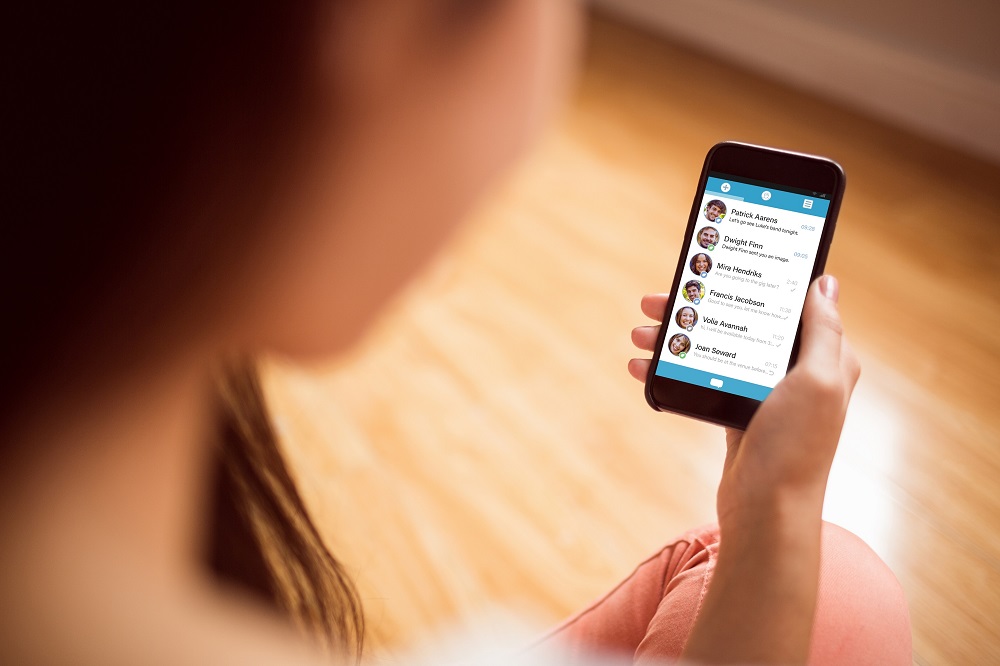
It is relatively easy to recover your contact list if it is saved online.

It is relatively easy to recover your contact list if it is saved online.

Share on FacebookWhatsapp

SAN FRANCISCO – If you’re worried about losing every single contact when it’s time to change smartphone, don’t panic!


There’s a very simple solution that can make sure you recover all your contacts in a new handset. Simply save them online, either with Google if you use an Android phone, or Apple if it’s an iPhone.

If you have an Android smartphone, go to the Contacts app then to Settings. Then select Import/Export and choose Export to SIM card. Then, you’ll only have to perform the same operation on your new mobile to retrieve them all, taking care to select Import from the SIM card.

Even simpler, some manufacturers, starting with Samsung or Huawei, offer applications dedicated to the recovery of data, including contacts, at each change of phone.

Note that if you change operator, you’ll need to export or save your contacts to the device, this time, before reimporting them to your new SIM card.

But the best bet is to save all your contacts to the cloud, to your Google account. For that, with each new entry, be sure to select the option to save the contact to your Google account. Then, you’ll automatically have access to them from any smartphone on which you are logged in.

To transfer data from one iPhone to another, the best option is to save everything online, to iCloud. To do this, select Contacts in the list of options in Settings/Apple ID/iCloud. This way, you can always retrieve them automatically on your new smartphone (or iPad or Mac).

This can apply to any data from your iPhone, not just the contacts. You can also manage (add, modify or delete) your contacts directly from the iCloud web platform. These changes will instantly update your contacts on your iPhone.

Tags: AndroidAppleGooglesmartphonestechnology

Discussion about this post

ADVERTISEMENT
egyptian-gazette-logo

The Egyptian Gazette is the oldest English-language daily newspaper in the Middle East.
It was first published on January 26, 1880 and it is part of El Tahrir Printing and Publishing House.

Follow Us

Eisenkot strikes first coalition deal in bid to form Israeli government

Nvidia’s Huang apologises to staff, cites therapy

Egypt, Jordan reaffirm commitment to stronger ties

Foreign Ministry follows up deadly migrant boat sinking off Benghazi

FM meets APRM delegation to review administrative reform co-operation

  • Advertise
  • Privacy & Policy
  • Contact

Copyrights for © Egyptian Gazette - Administered by Digital Transformation Management.

Welcome Back!

Login to your account below

Forgotten Password?

Retrieve your password

Please enter your username or email address to reset your password.

Log In
No Result
View All Result
  • HOME
  • EGYPT
    • Local
    • Features
  • World
    • National Day
  • Technology
  • BUSINESS
    • Real Estate
    • Automotive
  • SPORTS
  • ENTERTAINMENT
    • Arts
    • Health
    • Lifestyle
    • Travel
    • Tourism
    • Odd News
  • Skyward
    • Snippets from EgyptAir history
  • MORE
    • Multimedia
      • Video
      • Podcast
      • Gallery
    • OP-ED

Copyrights for © Egyptian Gazette - Administered by Digital Transformation Management.

This website uses cookies. By continuing to use this website you are giving consent to cookies being used. Visit our Privacy and Cookie Policy.